 by
by Introduction
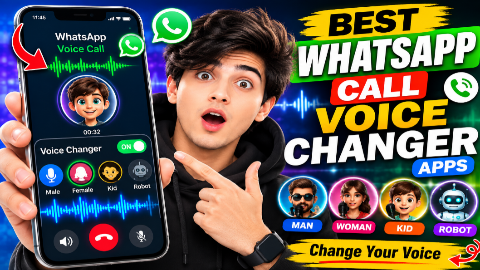
Have you ever wanted to change your voice while talking to friends or family, create funny voice recordings, or experiment with different voice effects? In 2026, there are many voice changer apps for Android that can modify your voice with effects such as robot, echo, helium, deep voice, and other fun filters.
However, there is one important thing to understand before downloading a WhatsApp call voice changer app: changing your voice during a normal WhatsApp call is much more complicated than changing a recorded audio file.
Many apps advertised as WhatsApp voice changers can modify recorded voice messages or audio files, while only some solutions offer live voice-changing features. Some live voice-changing services may also require you to make the call through their own system rather than directly through WhatsApp.
In this guide, we’ll look at some of the best WhatsApp call voice changer apps in 2026, explain how they work, discuss their features, and help you choose the right option.
What Is a WhatsApp Voice Changer App?
A voice changer app is an application that modifies your voice using digital audio effects.
Depending on the app, you may be able to transform your voice into effects such as:
- Robot
- Alien
- Echo
- Deep voice
- High-pitched voice
- Helium
- Radio
- Monster-style effects
- Child-like effects
- Character effects
The biggest difference between voice changer applications is when the voice is modified.
Some apps process your voice after you record it, while others attempt to process audio in real time.
Can You Really Change Your Voice During a WhatsApp Call?
This is one of the most common questions.
The answer is: it depends on the app and device.
WhatsApp doesn’t provide a built-in voice-changing feature that lets you select a robot or other voice effect during a standard voice call.
Android also limits how ordinary third-party apps can access and modify microphone audio while another app is using the microphone.
As a result, many applications that claim to be “WhatsApp voice changers” actually offer one of these alternatives:
- Record a voice message and apply an effect.
- Modify an existing audio file.
- Provide a live voice effect inside their own calling system.
- Use a speaker/microphone setup to alter the audio externally.
- Offer voice effects for videos or other recordings.
Therefore, you should always check an application’s description before assuming it can change your voice directly inside WhatsApp.
Best WhatsApp Voice Changer Apps in 2026
1. Voice Changer with Effects
Best for: Creating funny voice recordings and voice messages.
Voice Changer with Effects is one of the popular Android options for applying different effects to recorded audio.
Instead of changing your voice directly during a WhatsApp call, you can record your voice, apply an effect, and then share the resulting audio through supported apps.
Features
- Voice recording
- Multiple voice effects
- Audio sharing
- Easy interface
- Funny voice filters
- Support for saved recordings
Why Use It?
If your main goal is to send an unusual or funny voice message to a friend, this type of application can be more practical than a live call changer.
2. Voice Changer – Voice Effects
Best for: Simple voice effects and audio experimentation.
Another category of Android applications provides a collection of voice filters that can transform recorded audio.
You can record a short sentence, select an effect, listen to the result, and save or share it.
Popular Effects
Depending on the particular application, effects can include:
- Robot
- Alien
- Echo
- Deep
- High pitch
- Radio
- Megaphone
- Character effects
WhatsApp Compatibility
The modified recording can potentially be shared through WhatsApp as an audio file or voice-related media, depending on the application’s sharing features and WhatsApp’s supported formats.
3. MagicCall
Best for: Exploring real-time voice effects through a dedicated calling service.
MagicCall is a voice-changing application designed around calls and real-time voice effects.
Its concept is different from a simple audio editor because the voice effects are intended to operate while communicating through the service.
Features
- Real-time voice effects
- Multiple character-style voices
- Background sounds
- Calling functionality
- Voice effects during supported calls
Important Note
MagicCall should not automatically be considered a direct WhatsApp voice-call changer.
Always check the application’s current functionality, permissions, supported countries, and calling method before using it.
4. Funcalls
Best for: Fun voice-changing calls through supported calling features.
Funcalls is another application associated with voice-changing during calls.
It provides various voice effects and calling-related features.
Possible Voice Effects
Depending on the current version, users may find effects such as:
- Male/female-style effects
- Funny voices
- High-pitched voices
- Deep voices
- Character effects
WhatsApp Limitation
A third-party application cannot necessarily inject modified microphone audio directly into a standard WhatsApp call.
Therefore, Funcalls and similar applications should be considered separately from a genuine WhatsApp live voice changer.
5. VoiceFX
Best for: Live voice effects and audio experimentation on supported Android devices.
VoiceFX is designed to apply effects to voice and other audio.
Depending on device compatibility and the current application version, users may be able to experiment with real-time audio effects.
Features
- Voice effects
- Audio processing
- Recording
- Playback
- Sharing options
- Multiple filters
Who Should Try It?
VoiceFX can be interesting if you’re primarily looking for a general Android voice-effects application rather than a guaranteed WhatsApp call modifier.
6. Voloco
Best for: Creative vocal effects and recordings.
Voloco is particularly popular among users interested in music, vocals, and creative audio processing.
Rather than being a dedicated WhatsApp call changer, it focuses on processing a user’s voice with effects.
Features
- Vocal effects
- Pitch correction
- Recording
- Audio processing
- Creative presets
- Music-oriented tools
If you’re creating a funny recording for WhatsApp, an audio-effects app like Voloco can be more useful than an application promising unsupported WhatsApp call modifications.
7. Snapchat Voice Effects
Best for: Creative voice effects within Snapchat.
Snapchat includes a variety of creative audio and video effects.
Although it isn’t a WhatsApp voice changer, you can use creative voice effects while creating content and then share the resulting media through other platforms.
Why Include It?
Not every useful voice-effect application needs to work directly inside WhatsApp.
For content creators, the combination of:
Record → Apply Effect → Save → Share
can be a practical alternative.
8. Voice Changer Apps for Recorded WhatsApp Messages
If your goal is simply to send a funny voice message, you don’t necessarily need a live WhatsApp call changer.
A recorded-voice application can be easier.
Typical Process
- Open the voice changer application.
- Record your voice.
- Select a voice effect.
- Preview the result.
- Save the audio.
- Share it through WhatsApp.
This method doesn’t change your voice during a WhatsApp call, but it can produce an edited recording that you can share with your contacts.
Live Voice Changer vs Recorded Voice Changer
Before choosing an application, understand the difference.
| Feature | Live Voice Changer | Recorded Voice Changer |
|---|---|---|
| Changes voice while speaking | Sometimes | No |
| Works with recordings | Sometimes | Yes |
| Easy to use | Depends on app | Usually easy |
| WhatsApp call compatibility | Limited | Not applicable |
| Voice effects | Yes | Yes |
| Audio editing | Limited | Usually better |
| Device compatibility | Varies | Usually broader |
A recorded voice changer is generally easier to use because it doesn’t need to intercept the microphone audio from another calling application.
How to Choose the Best Voice Changer App
There are several things you should check before installing an app.
1. Check Whether It Supports Live Audio
Don’t rely solely on the app title.
An application named “WhatsApp Voice Changer” may only create edited audio recordings.
Read the current description carefully.
2. Check Android Compatibility
Voice-processing applications can behave differently on different phones.
Factors include:
- Android version
- Phone manufacturer
- Microphone permissions
- Audio hardware
- Battery optimization
- Background restrictions
An app that works on one Android phone may behave differently on another.
3. Check Permissions
Before granting permissions, review what the application is asking for.
A voice application may reasonably need microphone access for recording, but you should be cautious if an app requests permissions that aren’t clearly related to its purpose.
4. Read Recent Reviews
Look for reviews discussing:
- Audio quality
- Ads
- Crashes
- Compatibility
- Microphone problems
- Call functionality
- Subscription requirements
Recent reviews are generally more useful than very old reviews because applications change frequently.
Are WhatsApp Voice Changer Apps Safe?
Not every app advertised as a voice changer is necessarily trustworthy.
Before installing an application, consider:
Download From Trusted Sources
Prefer reputable app stores and official developer pages.
Don’t Give Unnecessary Permissions
A simple voice-effect application shouldn’t need access to unrelated personal information.
Be Careful With Unknown APKs
Avoid downloading random APK files from websites that make unrealistic claims such as:
“100% WhatsApp live voice changer for every Android phone.”
Such claims should be treated cautiously.
Why Some WhatsApp Voice Changer Apps Don’t Work
You may install an application and discover that the voice effect works inside the app but doesn’t work during WhatsApp calls.
This can happen because WhatsApp and Android control microphone access.
For example:
Voice Changer App → Microphone
and
WhatsApp → Microphone
are not necessarily interchangeable audio paths.
A normal Android application cannot simply take over WhatsApp’s microphone stream and insert modified audio into the call.
This is one of the main reasons many “WhatsApp voice changer” applications are actually recording tools rather than direct call modifiers.
Can You Use a Voice Changer on WhatsApp Without Root?
You should not assume that rooting your phone will make a voice changer compatible with WhatsApp.
Rooting can introduce security and stability risks and is unnecessary for ordinary voice recording.
For most users, it is better to use applications that officially support the Android version and device they are running.
Best Voice Changer Apps for Different Needs
For Funny Voice Messages
Voice Changer with Effects
Good choice for recording a sentence, applying an effect, and sharing the result.
For Creative Vocal Effects
Voloco
Better suited to users who want more advanced vocal processing and creative effects.
For Real-Time Calling Effects
MagicCall or similar dedicated calling services
These may provide live voice effects within their own calling environment, but shouldn’t automatically be expected to modify ordinary WhatsApp calls.
For Simple Voice Recording
Voice Changer – Voice Effects
Useful for users who simply want to record and modify audio.
Tips for Better Voice Changer Results
Even the best application won’t produce great results if the original recording is poor.
Record in a Quiet Environment
Background noise can make voice processing less effective.
Keep the Microphone at a Reasonable Distance
Avoid placing the microphone directly against your mouth.
Speak Clearly
Voice-processing algorithms generally perform better when speech is clear.
Don’t Overuse Effects
Extreme effects can make speech difficult to understand.
Preview Before Sharing
Always listen to the modified recording before sending it.
WhatsApp Voice Changer Apps: What You Should Know in 2026
The biggest misconception is that every app listed on the internet as a “WhatsApp call voice changer” can directly change your voice during a WhatsApp call.
That’s not necessarily true.
There are three major categories:
Category 1 – Audio Editors
These modify recordings.
Category 2 – Live Voice Applications
These process audio in real time, but often within their own supported environment.
Category 3 – WhatsApp-Compatible Solutions
These may provide a particular integration or workflow, but compatibility can vary significantly by Android version and device.
Always verify the current functionality before installing an application.
Frequently Asked Questions
What is the best WhatsApp voice changer app in 2026?
For recorded voice messages, applications such as Voice Changer with Effects can be useful. For live voice effects, dedicated services such as MagicCall may be worth exploring, but they should not automatically be considered direct WhatsApp call voice changers.
Can I change my voice during a WhatsApp call?
Direct live voice modification inside a standard WhatsApp call is limited by Android and WhatsApp’s audio architecture. Many apps instead offer recording-based effects or their own calling system.
Is there a free WhatsApp voice changer?
Some voice changer applications offer free features, although they may contain advertisements, optional purchases, or limitations.
Can I change my voice in WhatsApp voice messages?
You can create a modified recording with a compatible voice-changing application and then share the resulting audio through WhatsApp. The exact sharing method depends on the app.
Does WhatsApp have a built-in voice changer?
WhatsApp does not generally provide a built-in feature that lets users select common voice-changing effects such as robot or alien voices during standard voice calls.
Do voice changer apps work on every Android phone?
No. Compatibility depends on the application, Android version, manufacturer, audio system, and permissions.
Is rooting required for a voice changer?
Not for ordinary voice recording and audio effects. You should not root your phone simply to try a voice changer.
Are voice changer APKs safe?
Unknown APKs can be risky. It is safer to use reputable app stores and verify the developer and permissions before installing an application.
Can I use a voice changer for WhatsApp video calls?
A normal voice changer application may not be able to modify the microphone stream used by WhatsApp video calls. Check the app’s current compatibility instead of assuming it will work.
Which voice changer is best for funny recordings?
A recording-focused application such as Voice Changer with Effects is a practical option for creating funny audio clips that can then be shared.

Final Verdict
The best WhatsApp call voice changer app in 2026 depends on what you actually want to do.
If you want to create funny recorded voice messages, a recording-based application such as Voice Changer with Effects is a simple choice.
If you’re interested in creative vocal processing, Voloco provides a different set of audio-focused features.
If your priority is real-time voice changing during calls, applications such as MagicCall may offer live effects through their own supported calling environment. However, don’t assume that these applications can directly modify a normal WhatsApp call.
The most important thing to remember is that WhatsApp doesn’t provide a universal built-in live voice changer, and Android’s microphone restrictions mean that many apps cannot directly replace WhatsApp’s microphone audio.
Before installing any application, check its latest features, compatibility, permissions, pricing, and privacy information. Choose reputable applications and avoid websites promising impossible “one-click WhatsApp unlock” or “universal live voice changer” features.
With the right app and realistic expectations, you can still create plenty of fun voice effects and share them with your WhatsApp contacts.
SEO Keywords
Primary Keyword: Best WhatsApp Call Voice Changer Apps in 2026
Secondary Keywords:
- WhatsApp voice changer app
- best voice changer for WhatsApp
- WhatsApp call voice changer
- voice changer app for Android
- live voice changer Android
- WhatsApp voice effects
- WhatsApp funny voice changer
- voice changer for WhatsApp messages
- best voice effects apps 2026
- Android voice changer apps
- real-time voice changer Android
- WhatsApp voice changer 2026