 by
by Introduction
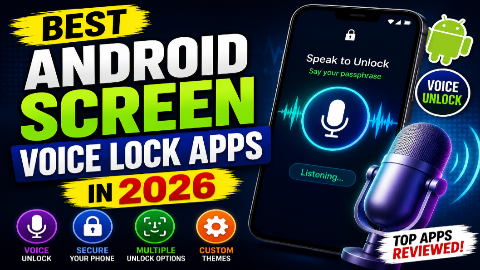
Are you looking for the best Android screen voice lock apps in 2026? Voice unlocking is an interesting way to personalize your Android phone and make the lock screen more convenient. Instead of always tapping a PIN or drawing a pattern, some apps let you set a custom phrase and use your voice on their own lock-screen interface.
In 2026, several Android applications available on Google Play offer voice-based lock-screen experiences. Examples include AI Voice Lock Screen, Voice Screen Lock: Voice Lock, Voice Unlock — Lock Screen, VoLock, Voxlock, and other similar applications. Their features vary considerably, so it is important to understand what each app actually does before installing it.
One important point is that third-party voice-lock apps generally do not replace Android’s underlying security system. For example, VoLock explicitly describes its voice feature as an app-managed overlay and recommends keeping Android’s built-in PIN, password, pattern, or biometric security enabled.
In this guide, we’ll explore the best voice lock apps for Android in 2026, their features, advantages, limitations, privacy considerations, and what you should know before using a voice-based lock screen.
What Is a Voice Lock App?
A voice lock app is an Android application that provides a lock-screen experience based on a spoken phrase.
Typically, you install the app, choose a phrase, provide microphone permission, and configure the application’s lock screen. When the custom lock screen appears, you speak the phrase to continue.
Depending on the app, you may also get backup options such as:
- PIN
- Pattern
- Fingerprint
- Password
- Time-based password
- Face lock
- Custom wallpapers
- Custom lock-screen themes
For example, Voice Screen Lock: Voice Lock offers voice, fingerprint, PIN, and pattern options, while Voice Unlock — Lock Screen provides a voice phrase with PIN, pattern, and optional fingerprint backup.
Can You Really Unlock an Android Phone With Your Voice?
There is an important technical difference between Android’s built-in security and a third-party voice-lock application.
Most third-party voice-lock applications create their own lock-screen interface or overlay. They do not remove Android’s encryption, system PIN, or biometric security.
For example, Voice Unlock — Lock Screen states that it is a convenience layer and recommends keeping the standard Android system lock enabled. VoLock similarly explains that its custom lock screen does not replace Android’s built-in security.
Therefore, the term “voice unlock” should not be interpreted as a universal replacement for Android’s secure system authentication.
Best Android Screen Voice Lock Apps in 2026
1. AI Voice Lock Screen
Best for: Users looking for a popular voice-lock-style experience.
AI Voice Lock Screen is one of the more widely installed applications in this category. Its Google Play listing reports more than 5 million downloads, and the app was updated in August 2026.
The application is designed around a voice-based lock screen and allows users to configure a voice command for unlocking.
Key Features
- Voice-based lock screen
- Custom voice command
- Voice recognition
- Personalized lock screen
- Wallpaper customization
- PIN backup
- Additional lock options
The app is particularly interesting for users who want a visually different lock screen rather than relying exclusively on the standard PIN interface.
Pros
- Large user base
- Voice-lock functionality
- Customization options
- Backup security option
Cons
- Contains ads
- In-app purchases are available
- Third-party overlay rather than a replacement for Android’s core security
- Voice recognition may not always be perfect
Verdict
AI Voice Lock Screen is a good option for users who want to experiment with a voice-controlled lock-screen experience.
2. Voice Unlock — Lock Screen
Best for: A dedicated voice phrase with backup authentication.
Voice Unlock — Lock Screen is a newer application that focuses specifically on using a personalized spoken phrase on its lock screen.
According to its Google Play listing, users can record a short voice phrase and use it when the app’s lock screen appears. It also offers PIN, pattern, and optional fingerprint backup.
Key Features
- Personalized voice phrase
- Voice recognition
- PIN backup
- Pattern backup
- Optional fingerprint
- Custom themes
- Wallpaper selection
- Multiple language support
- Local storage claims
The developer states that voice phrases and related unlock information are stored locally and that the application does not require an account.
Pros
- Simple concept
- Backup PIN and pattern
- Fingerprint option
- Multiple customization options
- No account required according to the listing
Cons
- Newer application
- Requires microphone access
- Uses an app-managed lock screen
- Voice recognition can vary by environment
Verdict
This is an interesting choice if you specifically want a custom voice phrase lock screen with conventional backup options.
3. VoLock: Voice Lock Screen
Best for: Users who want a simple voice phrase and PIN combination.
VoLock is another Android voice-lock application available in 2026.
The app allows users to set a personal voice phrase and an alternate PIN. Its listing also provides an important security clarification: VoLock is an app-managed overlay and does not replace Android’s built-in device security.
Features
- Voice phrase unlock
- Alternate PIN
- Custom wallpaper
- Clock customization
- Date and time options
- Audio cues
- Haptic feedback
- Persistent service notification
The application states that it does not use biometric voice identification. Instead, it compares the recognized words with the saved phrase.
Privacy
VoLock says that the saved phrase and PIN are stored locally in encrypted app preferences and that microphone access is used for recognition during setup or the voice-unlock process.
Verdict
VoLock is worth considering if you want a straightforward voice phrase plus PIN experience.
4. Voice Screen Lock: Voice Lock
Best for: Users who want voice, fingerprint, PIN, and pattern options together.
Voice Screen Lock: Voice Lock is another application available on Google Play. Its listing says users can configure a custom voice command and use additional lock methods such as fingerprint, PIN, or pattern.
Features
- Voice lock
- Fingerprint lock
- PIN lock
- Pattern lock
- Custom voice command
- Custom lock-screen design
The app was updated in August 2026, making it a current option to consider.
Why Choose It?
Some users may prefer having several options instead of depending entirely on voice recognition.
For example:
Voice → Primary convenience option
PIN/Pattern → Backup
This can be useful when you’re in a noisy environment or don’t want to speak.
5. Voice Lock: Speak to Unlock
Best for: Users who want a simple voice-command lock.
Voice Lock: Speak to Unlock is another application focused on voice-based phone locking and unlocking.
Its Google Play listing describes voice, PIN, and pattern options, along with a security-question backup option.
Main Features
- Voice unlock
- PIN
- Pattern
- Security-question backup
- Custom themes
- Lock-screen preview
- Unlock sound controls
- Vibration controls
Important Consideration
The app requires microphone access and an overlay permission to provide its custom lock-screen experience.
As with other third-party lock-screen applications, users should carefully review permissions and understand that this is not the same as replacing Android’s built-in security.
6. Voice Screen Lock App
Best for: Users who want voice lock combined with a time-based password.
Voice Screen Lock App is another option available in 2026.
Its Google Play listing describes a combination of voice lock and a dynamic time-password feature.
Features
- Voice screen lock
- Custom voice phrase
- Speak-to-unlock
- Time-based password
- Custom lock-screen design
- Multiple locking options
Why It Is Interesting
The combination of voice access and a changing time-based password makes this application different from simple voice-lock apps.
However, users should still treat the voice feature as a convenience layer rather than a replacement for Android’s primary security.
7. Voxlock: Voice Lock Screen
Best for: Users who want voice, PIN, pattern, and customizable themes.
Voxlock provides a voice-based lock-screen experience with several additional customization options.
According to its Google Play listing, it supports:
- Voice passphrase
- PIN
- Pattern
- Time-based unlock
- Custom themes
- Wallpapers
- Clock customization
- Multiple languages
The listing also says voice recognition is processed on the device.
Pros
- Multiple unlock options
- Theme customization
- Voice passphrase
- Multiple languages
- Designed to remain active after restarting
Cons
- Contains ads
- Requires microphone access
- Third-party lock-screen overlay
Verdict
Voxlock is a good choice for users who care about both voice functionality and lock-screen customization.
8. Vokey – Voice Screen Lock
Best for: Hands-free voice commands and finding a nearby phone.
Vokey takes a slightly different approach.
According to its Google Play listing, it provides voice commands for locking, unlocking, and finding a phone. It also offers a clap-to-find feature that can trigger ringing, flashing, and vibration.
Features
- Voice lock
- Voice unlock
- Custom commands
- Find-phone feature
- Clap-to-find
- Ring, flash, and vibration alerts
- Background listening
Who Is It For?
Vokey may appeal to people who want hands-free controls beyond simply unlocking the phone.
However, background listening can affect battery usage, and users should review the application’s permissions and privacy information before enabling it.
Best Voice Lock Apps Comparison
| App | Voice Unlock | Backup Options | Customization | Best For |
|---|---|---|---|---|
| AI Voice Lock Screen | Yes | PIN | High | Popular voice lock |
| Voice Unlock — Lock Screen | Yes | PIN, Pattern, Fingerprint | High | Dedicated voice phrase |
| VoLock | Yes | PIN | Medium | Simple voice lock |
| Voice Screen Lock: Voice Lock | Yes | PIN, Pattern, Fingerprint | Medium | Multiple lock methods |
| Voice Lock: Speak to Unlock | Yes | PIN, Pattern | Medium | Simple setup |
| Voice Screen Lock App | Yes | Time password | Medium | Voice + time password |
| Voxlock | Yes | PIN, Pattern, Time | High | Custom lock screen |
| Vokey | Yes | Other controls | Medium | Hands-free features |
Which Voice Lock App Is Best?
There isn’t one app that is perfect for every Android phone.
Here is a simple recommendation based on the intended use.
Best Overall
AI Voice Lock Screen
It has a large reported user base and offers a dedicated voice-lock experience.
Best for Privacy-Focused Features
Voice Unlock — Lock Screen
Its listing states that voice-related information is stored locally and that no account is required.
Best for Voice + PIN
VoLock
It combines a custom voice phrase with an alternate PIN and provides detailed information about its security model.
Best for Multiple Unlock Options
Voice Screen Lock: Voice Lock
It combines voice with fingerprint, PIN, and pattern options.
Best for Extra Hands-Free Features
Vokey
Its voice commands can also be used to find the phone, with a clap-to-find option.
How Do Voice Lock Apps Work?
Most voice lock applications follow a relatively simple process.
Step 1: Install the Application
Download the application from a trusted source such as Google Play.
Step 2: Give Required Permissions
Depending on the app, microphone and overlay permissions may be required.
Step 3: Create a Voice Phrase
Choose a phrase that is easy for you to remember.
Step 4: Train or Save the Phrase
The application records or processes the phrase according to its particular system.
Step 5: Configure a Backup
Set a PIN, pattern, or another available backup method.
Step 6: Test the Lock Screen
Test the voice feature several times before relying on it.
Why Should You Use a Backup PIN?
A backup PIN is extremely important.
Voice recognition can be affected by:
- Background noise
- Different pronunciation
- Poor microphone conditions
- Language settings
- Software problems
- Network or speech-recognition availability
- Changes in the app
For example, VoLock explicitly provides a PIN for situations where voice recognition isn’t available or the user doesn’t want to speak.
Therefore, never rely entirely on voice recognition for access to an important device.
Voice Lock vs Fingerprint vs PIN
Each security method has different advantages.
| Method | Convenience | Reliability | Security |
|---|---|---|---|
| Voice | High | Can vary | Depends on implementation |
| Fingerprint | Very high | Usually consistent | Strong device-level option |
| PIN | High | Very reliable | Strong when well chosen |
| Pattern | High | Reliable | Depends on pattern |
| Face Unlock | Very high | Device-dependent | Varies by hardware |
For actual device security, the built-in Android lock screen and supported biometric authentication should remain your primary protection.
Third-party voice-lock apps are better viewed as a customization or convenience feature.
Are Voice Lock Apps Secure?
This is one of the most important questions.
A voice-lock application may need access to your microphone and may display a lock-screen overlay.
Before installing one, check:
- What permissions it requests
- Whether it contains ads
- Whether it shares data
- Whether voice information is stored locally
- Whether an account is required
- Whether the developer provides a privacy policy
- Whether the app is regularly updated
Google Play’s data-safety information can help you understand what developers declare about collection and sharing.
For example, the listings for different voice-lock applications show very different data-safety declarations.
Can Voice Lock Apps Replace Android’s PIN?
Generally, you should not treat a third-party voice-lock app as a replacement for Android’s built-in security.
VoLock explicitly says that its lock screen does not replace Android’s system lock, while Voice Unlock — Lock Screen also describes itself as a convenience layer.
The safest setup is:
Android system security → Primary protection
Voice lock app → Optional convenience/customization
This distinction is especially important if your phone contains private photos, messages, accounts, or other sensitive information.
Advantages of Voice Lock Apps
Hands-Free Access
The biggest attraction is convenience.
You can use a voice phrase instead of manually entering a PIN on the app’s custom lock screen.
Unique Lock-Screen Experience
Voice lock apps can make an ordinary Android phone feel more personalized.
Customization
Many apps offer:
- Wallpapers
- Themes
- Clocks
- Colors
- Lock-screen layouts
Accessibility
Voice-based interfaces may be useful for some people who find repeated tapping or typing inconvenient.
Disadvantages of Voice Lock Apps
Voice unlocking also has limitations.
Background Noise
A noisy environment can make recognition less reliable.
Privacy Considerations
Apps using the microphone should be reviewed carefully.
Battery Usage
Apps that remain active in the background may consume additional battery.
Third-Party Overlay
The app may display its own lock screen rather than replacing Android’s system authentication.
Compatibility
Features can vary depending on Android version and phone manufacturer.
Tips for Using a Voice Lock App Safely
1. Keep Android’s System Lock Enabled
Do not disable your primary security just to use a voice-lock application.
2. Use a Backup PIN
Always configure a backup method when the app provides one.
3. Review Permissions
Only grant permissions that are necessary for the application’s features.
4. Download From Trusted Sources
Avoid random APK websites and modified versions.
5. Check Recent Updates
Apps can change significantly over time. The current 2026 version may work differently from an older tutorial.
6. Test Before Relying on It
Make sure the backup PIN and Android system authentication still work properly.
Frequently Asked Questions
What is the best Android voice lock app in 2026?
AI Voice Lock Screen is one of the more widely installed options in this category, while Voice Unlock — Lock Screen and VoLock offer more focused voice-phrase experiences.
Can I unlock my Android phone with my voice?
Some third-party applications provide a voice-based custom lock-screen experience. However, they generally do not replace Android’s underlying system security.
Is voice unlock available on every Android phone?
No. Compatibility and behavior can vary according to the Android version, manufacturer, permissions, microphone, and the particular application.
Is a voice lock more secure than a PIN?
You should not automatically assume that a third-party voice lock is more secure than Android’s built-in PIN or biometric security. For important device protection, use the security features provided by Android and your phone manufacturer.
Do voice lock apps need microphone permission?
Yes, applications that recognize a spoken phrase normally need microphone access.
Can voice lock work without internet?
It depends on the application and its speech-recognition technology. Some apps advertise local or on-device processing, while others may rely on the speech-recognition service available on the device.
What happens if the voice doesn’t work?
Use the backup PIN, pattern, fingerprint, or other available authentication method.
Can I customize the voice lock screen?
Yes. Several current applications offer wallpapers, themes, clocks, and other customization features.
Are voice lock apps free?
Many are free to install but may contain advertisements or optional in-app purchases. Always check the current Google Play listing.
Is AI Voice Lock Screen safe?
No third-party application should be considered automatically safe simply because it is popular. Review its current permissions and Google Play data-safety information before installation. Its current listing indicates ads and collection/sharing declarations, so users should review those details themselves.

Final Verdict
The best Android screen voice lock apps in 2026 offer an interesting combination of convenience and customization. Applications such as AI Voice Lock Screen, Voice Unlock — Lock Screen, VoLock, Voice Screen Lock: Voice Lock, Voice Lock: Speak to Unlock, Voxlock, and Vokey provide different approaches to voice-based locking.
If you want a popular option, AI Voice Lock Screen is worth exploring. If you prefer a dedicated voice phrase with backup authentication, Voice Unlock — Lock Screen or VoLock may be better choices. If you want additional hands-free functions, Vokey provides voice commands beyond simply unlocking the screen.
However, remember that third-party voice-lock applications generally provide a custom lock-screen experience, not a replacement for Android’s underlying security. For real device protection, keep your Android PIN, password, pattern, or supported biometric authentication enabled.
Before installing any voice-lock app, check its latest Google Play listing, permissions, privacy information, reviews, and compatibility with your specific Android phone.
SEO Keywords
Primary Keyword: Best Android Screen Voice Lock Apps in 2026
Secondary Keywords:
- best voice unlock apps for Android
- Android voice lock app
- voice screen lock Android
- voice unlock phone app
- screen lock with voice
- unlock Android phone with voice
- best voice lock app 2026
- Android voice password
- voice command screen lock
- voice lock screen app
- AI voice lock Android
- voice lock apps for Android
- speak to unlock Android
- voice screen lock apps 2026