 by
by Introduction
In today’s digital world, having an internet connection is important for almost everything. We use the internet for watching videos, chatting with friends, studying, downloading apps, checking social media, browsing websites, and much more.
But what if you don’t have mobile data available?
One option is to use free Wi-Fi. There are many legitimate places where you can connect to Wi-Fi without paying separately for every connection, including public hotspots, libraries, educational institutions, cafés, hotels, shopping centers, and Wi-Fi shared by friends or family.
However, there is an important difference between finding free Wi-Fi and bypassing a Wi-Fi password. You should only connect to networks that are intentionally provided for public use or that you have permission to use. There is no legitimate universal trick or app that can give you free access to every private Wi-Fi network.
In this guide, we’ll explain how to use free Wi-Fi in 2026, how to find legitimate hotspots, how to connect an Android phone, how to use Wi-Fi safely, and what to do when free Wi-Fi isn’t available.
What Is Free Wi-Fi?
Free Wi-Fi refers to a wireless internet connection that you can use without paying an additional access fee.
Free Wi-Fi can be provided by:
- Public places
- Businesses
- Schools and universities
- Libraries
- Hotels
- Airports
- Restaurants and cafés
- Community organizations
- Friends and family
- Your own secondary device through hotspot sharing
Some networks are completely open, while others require a password that the provider gives to customers or visitors.
For example, a café might display its Wi-Fi password at the counter. That’s legitimate free Wi-Fi access because the business has intentionally provided access.
Can You Get Free Wi-Fi Anywhere?
No.
You cannot legally or technically expect one application or secret setting to connect your phone to every Wi-Fi network.
A private Wi-Fi network is normally protected by a password or another authentication system. Trying to bypass that protection without permission is not an appropriate way to obtain internet access.
Instead, look for networks that are:
- Public
- Guest networks
- Official hotspots
- Provided by a business
- Shared by someone you know
- Available through a legitimate community program
Best Ways to Get Free Wi-Fi in 2026
1. Use Public Wi-Fi Hotspots
One of the easiest ways to get free internet is to look for public Wi-Fi hotspots.
You may find them in:
- Libraries
- Airports
- Hotels
- Shopping centers
- Restaurants
- Cafés
- Universities
- Public buildings
- Community centers
Some locations provide Wi-Fi completely free, while others may require you to accept terms and conditions on a login page.
2. Ask a Café or Restaurant
Many cafés and restaurants provide Wi-Fi to customers.
If you need internet access, simply ask staff whether guest Wi-Fi is available.
The business may provide:
- Network name
- Password
- QR code
- Captive portal login
This is one of the simplest and safest ways to obtain Wi-Fi when you’re away from home.
3. Use Library Wi-Fi
Public libraries in many areas provide internet access to visitors.
Library Wi-Fi can be useful for:
- Online research
- Schoolwork
- Browsing
- Downloading documents
- General internet access
Some libraries may require a visitor card or other form of registration.
4. Use School or University Wi-Fi
If you’re a student, your school or educational institution may provide Wi-Fi.
Educational Wi-Fi networks often require an account or student credentials.
Do not try to bypass the login system. If you have trouble connecting, contact the school’s IT department or administrator.
5. Use Hotel Guest Wi-Fi
Many hotels offer Wi-Fi to guests.
Depending on the hotel, you may receive:
- A Wi-Fi password
- Room-based authentication
- A login page
- A QR code
- A temporary access code
Always use the hotel’s official network information rather than connecting to a similarly named network you don’t recognize.
6. Ask a Friend or Family Member
If someone you know has Wi-Fi and is willing to share it, they can provide access legitimately.
Modern Android phones may also allow Wi-Fi credentials to be shared using a QR code.
This can be more convenient than manually typing a long password.
7. Use Another Phone’s Hotspot
If you have another phone with mobile data, you can create a personal hotspot.
For example:
Phone A → Mobile Data → Wi-Fi Hotspot → Phone B
The second phone can then connect to the hotspot using the password configured by the hotspot owner.
This isn’t technically “free internet” because the hotspot uses mobile data, but it can be useful when you don’t have Wi-Fi available.
8. Use Official Public Hotspot Programs
Some internet providers, cities, organizations, and businesses operate public Wi-Fi programs.
These may be available in:
- Public areas
- Transport locations
- Community spaces
- Commercial areas
- Educational locations
Availability depends on your region.
Always check the official information provided by the organization operating the hotspot.
How to Connect to Free Wi-Fi on Android
Connecting to a legitimate Wi-Fi network is simple.
Step 1: Open Settings
Open the Settings application on your Android phone.
Step 2: Open Network & Internet
Depending on your phone brand, this section may be called:
- Wi-Fi
- Network & Internet
- Connections
- WLAN
- Network
Step 3: Turn On Wi-Fi
Enable Wi-Fi.
Your phone will scan for nearby wireless networks.
Step 4: Select the Correct Network
Tap the network provided by the business, school, hotel, library, or other authorized provider.
Step 5: Enter the Password
If the network is protected, enter the password supplied by the network owner.
Step 6: Accept the Login Page
Some public networks use a captive portal.
After connecting, a webpage may appear asking you to:
- Accept terms
- Enter a room number
- Enter an access code
- Sign in
- Confirm your agreement
Follow the instructions provided by the network operator.
How to Find Free Wi-Fi Near You
There are several legitimate ways to find available public Wi-Fi.
Search Google Maps
Search for places such as:
Free Wi-Fi near me
or:
Café with Wi-Fi
or:
Public Wi-Fi near me
You can then check individual business listings for Wi-Fi availability.
Remember that availability can change, so confirm with the location before relying on it.
Check the Business Website
Restaurants, hotels, libraries, and other organizations may publish information about guest Wi-Fi.
Look for:
- Guest Wi-Fi
- Free Wi-Fi
- Internet access
- Visitor Wi-Fi
- Public hotspot
Only use information from the official provider whenever possible.
Use Wi-Fi Finder Features
Some applications and services help users identify public Wi-Fi hotspots.
Before installing one, check:
- Developer reputation
- Permissions
- Reviews
- Privacy policy
- Data-safety information
- Whether the app is actively maintained
Avoid applications that make unrealistic promises such as:
“Connect to any Wi-Fi without password.”
A legitimate hotspot finder cannot magically unlock private networks.
Free Wi-Fi Without a Password
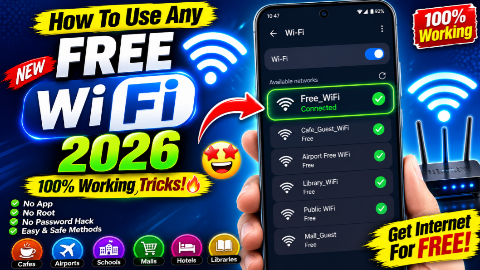
Some public networks are intentionally configured without a Wi-Fi password.
For example, a café might provide an open guest network.
However, open does not automatically mean safe.
When you see an open network, confirm that it actually belongs to the business or organization.
For example, if you’re inside a café and see:
Cafe_Guest_WiFi
ask staff whether that’s the correct network.
Don’t assume that a network with a similar name is legitimate.
Why You Should Avoid Unknown Wi-Fi Networks
Public Wi-Fi can sometimes expose users to security risks.
An attacker could potentially create a network with a name that looks similar to a legitimate hotspot.
For example:
CoffeeShop_Guest
might look trustworthy, but you don’t know who operates it unless you verify it.
This is why checking the network name with staff is a good habit.
How to Stay Safe on Public Wi-Fi
1. Verify the Network Name
Ask the business or organization for the exact Wi-Fi name.
2. Avoid Sensitive Activities When Possible
On an unfamiliar public network, be cautious about entering highly sensitive information.
For important accounts, make sure you’re using secure websites and your normal account protections.
3. Keep HTTPS Enabled
Modern browsers generally use HTTPS for secure websites.
Look for the lock/security indicator in your browser.
4. Keep Android Updated
Install security and system updates when they become available for your phone.
5. Turn Off Auto-Connect
If your phone automatically connects to unknown networks, consider disabling that behavior.
6. Forget Public Networks Afterwards
If you won’t use a public network again, you can remove it from your saved Wi-Fi networks.
How to Forget a Wi-Fi Network on Android
The exact menu names vary between Android manufacturers.
Generally:
- Open Settings.
- Open Wi-Fi or Network & Internet.
- Select the connected or saved network.
- Tap Forget.
- Confirm.
Afterward, your phone won’t automatically reconnect to that saved network unless you connect again.
How to Turn Off Wi-Fi Auto-Connect
If your Android phone supports automatic connection controls:
- Open Settings.
- Go to Wi-Fi.
- Open Wi-Fi preferences or network settings.
- Review automatic connection options.
- Disable options you don’t want.
The exact names depend on your phone manufacturer and Android version.
Does a VPN Give You Free Wi-Fi?
No.
A VPN does not provide free internet access.
A VPN creates an encrypted connection over an existing internet connection.
You still need some form of internet access first, such as:
- Wi-Fi
- Mobile data
- Ethernet
- Hotspot
Therefore:
VPN ≠ Free Internet
A VPN can improve privacy on certain networks, but it doesn’t unlock private Wi-Fi.
Can an App Give You Free Wi-Fi?
There is no legitimate app that can provide unlimited access to every private Wi-Fi network without authorization.
Some applications can help you find public hotspots or manage your existing connection, but they cannot legitimately bypass a private network’s security.
Be especially careful with apps claiming:
- Wi-Fi password cracker
- Any Wi-Fi unlocker
- Free Wi-Fi hacker
- Connect to any Wi-Fi
- Unlimited Wi-Fi without password
Such claims can be misleading and may expose your device to unwanted software.
Can You Use a Wi-Fi QR Code?
Yes.
Many modern Android phones support Wi-Fi sharing through a QR code.
For example, a person already connected to a network can sometimes open the Wi-Fi sharing option and display a QR code.
Another Android phone can scan that code to obtain the network credentials.
This is useful when:
- The password is long
- You don’t remember the password
- You’re helping a friend connect
- You don’t want to manually type the password
The exact process depends on the Android manufacturer.
Free Wi-Fi vs Mobile Data
Which option is better?
| Feature | Free Wi-Fi | Mobile Data |
|---|---|---|
| Cost | Often free | Usually uses a data package |
| Availability | Location dependent | Usually broader |
| Speed | Varies | Depends on network |
| Security | Varies | Usually your carrier connection |
| Convenience | Good in hotspots | Good while traveling |
| Password | Sometimes required | Usually no Wi-Fi password |
Free Wi-Fi is useful when available, but mobile data gives you greater flexibility when you’re away from public hotspots.
What to Do If Free Wi-Fi Is Slow
Public Wi-Fi can become slow when many people are connected.
Try:
Move Closer to the Router
Wi-Fi signal strength generally improves when you’re closer to the access point.
Disconnect Unused Devices
If you’re sharing your own hotspot, disconnect devices that don’t need internet access.
Pause Large Downloads
Cloud backups, app updates, and video downloads can consume significant bandwidth.
Try a Different Legitimate Hotspot
If another nearby public network is officially available, you may get better performance.
What to Do If Wi-Fi Is Connected but There Is No Internet
Sometimes your phone shows:
Connected
but websites don’t load.
Try these steps:
- Turn Wi-Fi off and on.
- Check whether other users have internet access.
- Open a browser to see if a login page appears.
- Forget and reconnect to the network.
- Restart your phone.
- Ask the network provider whether there is an outage.
If the network requires a login page, you may need to complete the authentication process before internet access becomes available.
Why Does Public Wi-Fi Ask Me to Sign In?
Many public Wi-Fi networks use a captive portal.
This is a webpage shown after you connect.
It may ask you to:
- Accept terms and conditions
- Enter an access code
- Sign in
- Provide a room number
- Verify your account
This is normal for many public networks.
Is Free Wi-Fi Really Free?
It depends on what “free” means.
A business may provide Wi-Fi at no additional cost to customers, but the business still pays for its internet connection.
Similarly, a library may provide free public internet as a service to visitors.
You should not confuse free access provided by the network owner with attempts to obtain access without authorization.
Common Free Wi-Fi Locations
Here are some places where you may be able to find legitimate free Wi-Fi:
- Libraries
- Cafés
- Restaurants
- Hotels
- Airports
- Shopping malls
- Universities
- Schools
- Community centers
- Public buildings
- Coworking spaces
- Transport hubs
Availability varies by location.
Common Myths About Free Wi-Fi
Myth 1: There Is One App That Connects to Every Wi-Fi
False.
No legitimate universal application can connect your phone to every private Wi-Fi network.
Myth 2: VPN Provides Free Internet
False.
A VPN needs an existing internet connection.
Myth 3: Every Open Wi-Fi Network Is Safe
False.
An open network may still present privacy and security risks.
Myth 4: Wi-Fi Password Apps Can Reveal Any Password
False.
Apps cannot legitimately reveal the password of every private network.
Myth 5: You Need to Root Android for Free Wi-Fi
False.
Rooting your phone does not magically provide internet access.
Best Tips for Using Free Wi-Fi in 2026
Tip 1: Use Official Hotspots
Prefer Wi-Fi provided directly by a known business or organization.
Tip 2: Verify the Network
Ask staff for the exact network name.
Tip 3: Keep Your Phone Updated
Security updates help protect your device.
Tip 4: Use Strong Account Security
Keep strong passwords and appropriate two-factor authentication on important accounts.
Tip 5: Disable Unnecessary Sharing
Turn off features you don’t need when using public networks.
Tip 6: Forget Old Networks
Remove networks you no longer use.
Tip 7: Don’t Install Unknown Wi-Fi APKs
Avoid downloading suspicious applications that promise impossible Wi-Fi access.
Frequently Asked Questions
How can I get free Wi-Fi in 2026?
You can use legitimate public hotspots provided by cafés, restaurants, libraries, hotels, schools, airports, shopping centers, community organizations, or friends and family.
Can I connect to any Wi-Fi for free?
No. Private Wi-Fi networks require authorization. You should only connect to networks that you have permission to use.
Is there an app that gives unlimited free Wi-Fi?
No legitimate app can provide unlimited access to every private Wi-Fi network.
Can I use Wi-Fi without knowing the password?
If the network is intentionally open or the owner provides access through a QR code, guest portal, or other authorized method, yes. You should not bypass a private network’s password.
Does a VPN give free internet?
No. A VPN protects or routes an existing internet connection; it does not provide internet access by itself.
How do I find free Wi-Fi near me?
Search for public Wi-Fi, cafés, libraries, hotels, or other locations offering guest internet. Confirm the network details with the provider before connecting.
Is public Wi-Fi safe?
Public Wi-Fi can be useful, but it isn’t automatically safe. Verify the network, keep your phone updated, use secure websites, and be cautious about sensitive activity.
Can I share Wi-Fi using a QR code?
Yes. Many modern Android phones support Wi-Fi sharing through QR codes.
Why is my free Wi-Fi connected but not working?
The network may require a captive-portal login, have an outage, or have too many connected users. Try opening a browser, reconnecting, or asking the provider for assistance.
Can I get free Wi-Fi without an internet package?
Yes, if you connect to a legitimate public or guest Wi-Fi network. Your phone doesn’t need its own mobile-data package to use an available Wi-Fi connection.

Conclusion
Finding free Wi-Fi in 2026 is easier than many people think, but there is no universal app or secret setting that can provide access to every Wi-Fi network.
The best approach is to use legitimate hotspots provided by cafés, restaurants, libraries, hotels, schools, universities, airports, shopping centers, community organizations, or people you know.
Android also makes it easy to connect to Wi-Fi, share network credentials through QR codes on supported devices, and manage saved networks.
At the same time, security should always be a priority. Verify public network names, avoid suspicious Wi-Fi networks, keep your Android phone updated, review app permissions, and don’t install unknown APK files that promise to “hack” or unlock any Wi-Fi network.